Ubuntu 22.04 Server Installation Steps

By EssingtonITS team ·

This guide walks you through installing Ubuntu 22.04 Server, covering steps from booting with the ISO to setting up user details and network configurations. Ideal for those setting up a server for the first time.

Boot the server using the ISO for the first time.

Select 'Try or Install Ubuntu Server'.
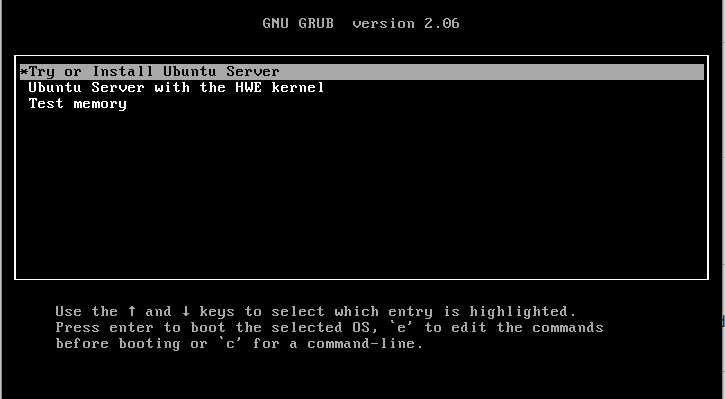
GNU GRUB menu with options to try or install Ubuntu Server and test memory

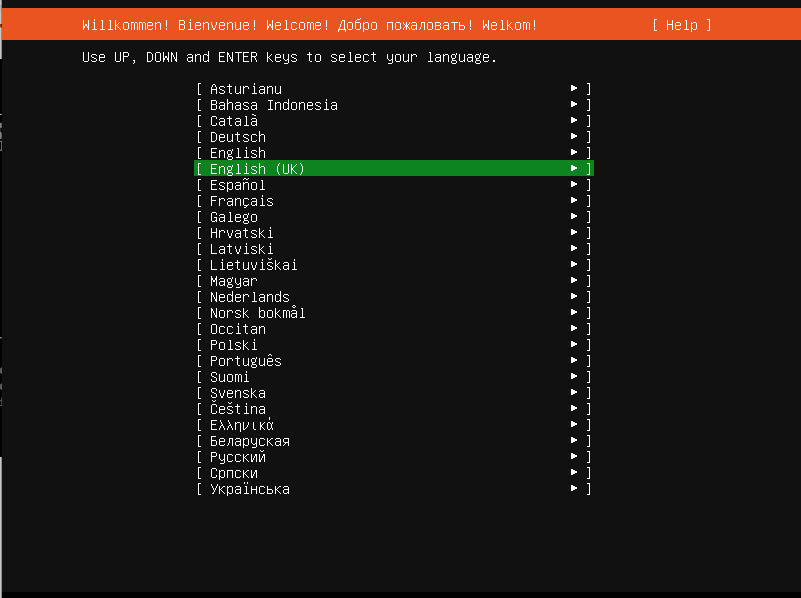
Select your language type.

Language selection screen with various options highlighted in green

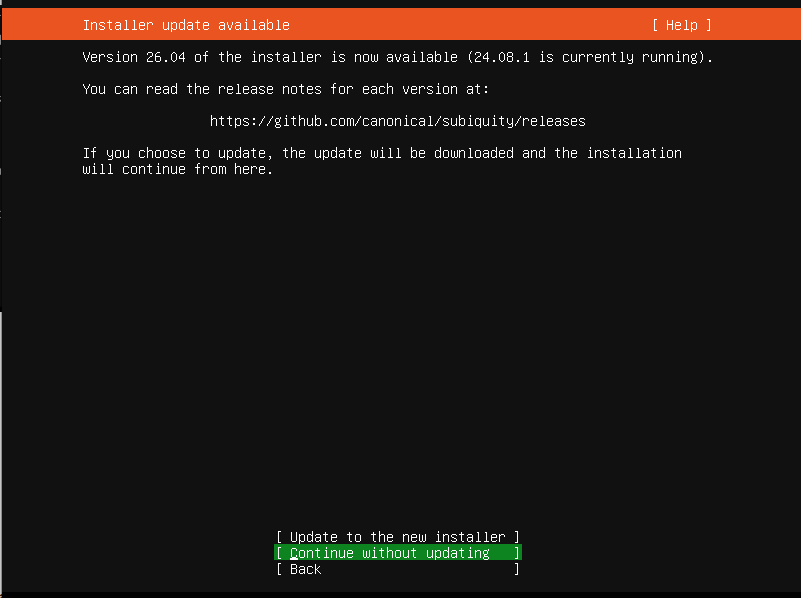
Select 'Continue without updating'.

Installer update prompt with options to update, continue without updating, or go back

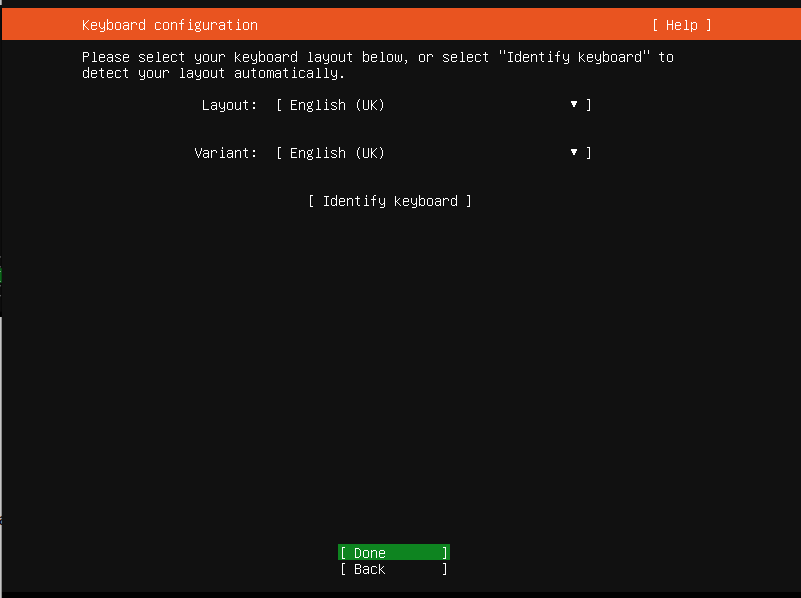
Select your keyboard layout type.

Keyboard configuration screen with options for layout and variant selection

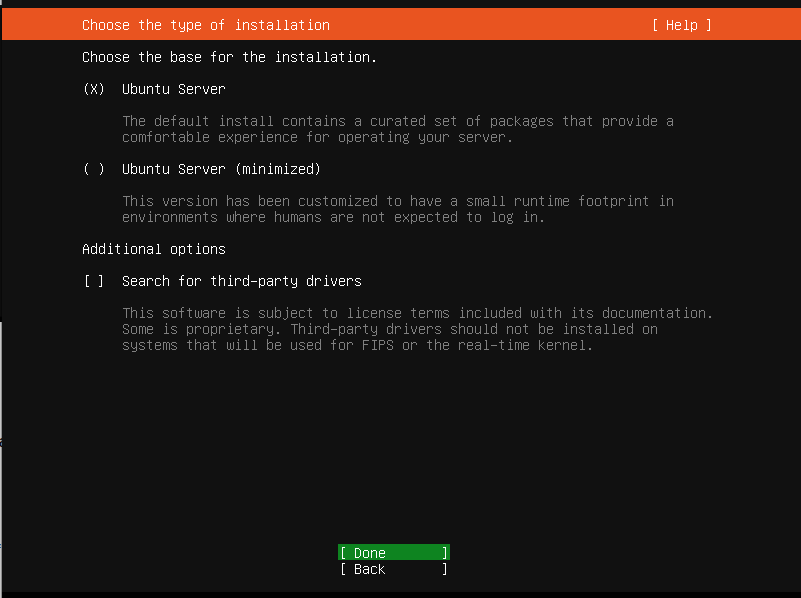
Select 'Ubuntu Server'.

Ubuntu Server installation screen with options for full or minimized installation and third-party driver search

Select your network type. In this example, DHCP will be selected. Choose 'Edit ipv4' or 'Edit ipv6' to set a static IP address.
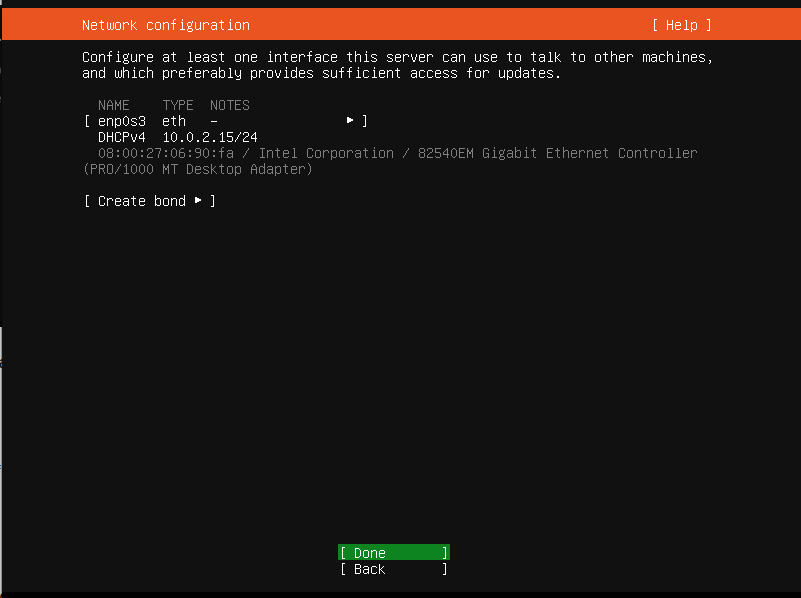
Network configuration screen showing interface details and options for creating a bond

Set your proxy server, or leave it blank if your server has internet access.
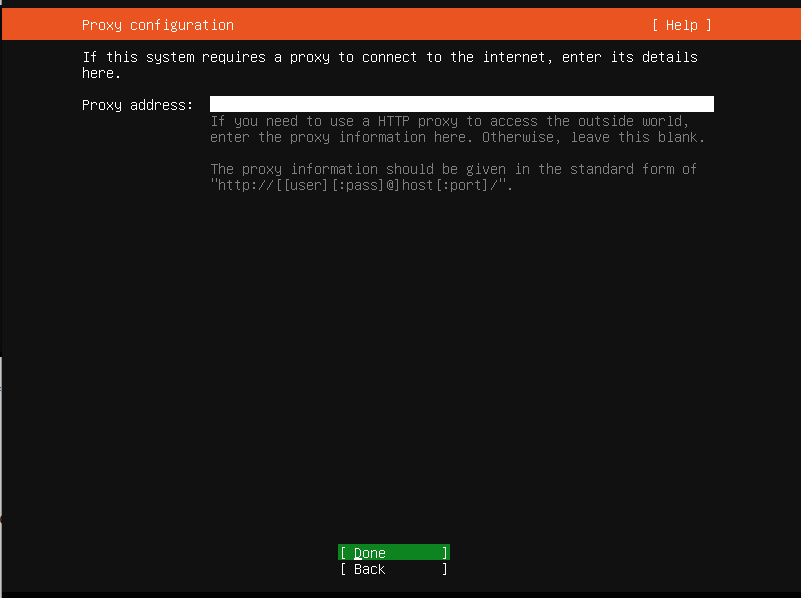
Proxy configuration screen with fields for entering proxy address details

Leave the default to use the Ubuntu mirror for future installs or updates.
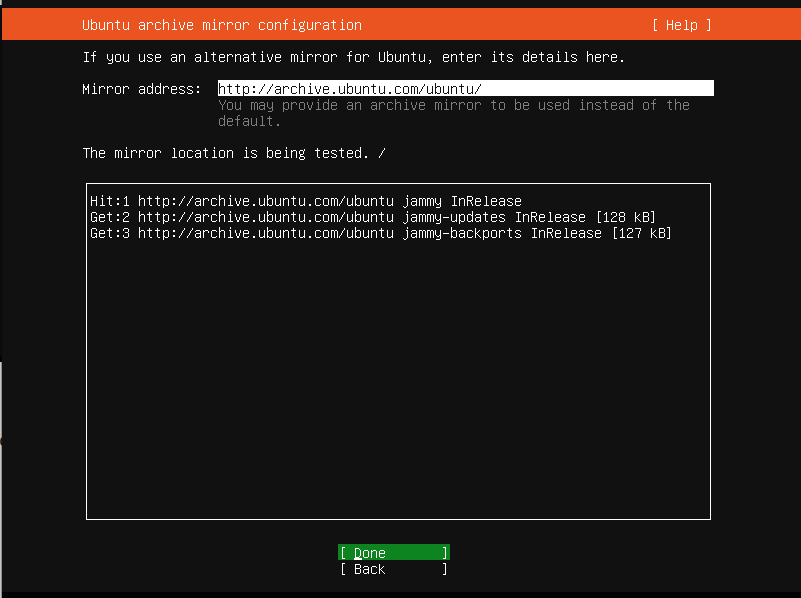
Ubuntu archive mirror configuration screen with mirror address and testing status

For a standard install, we will accept the default disk layout options.
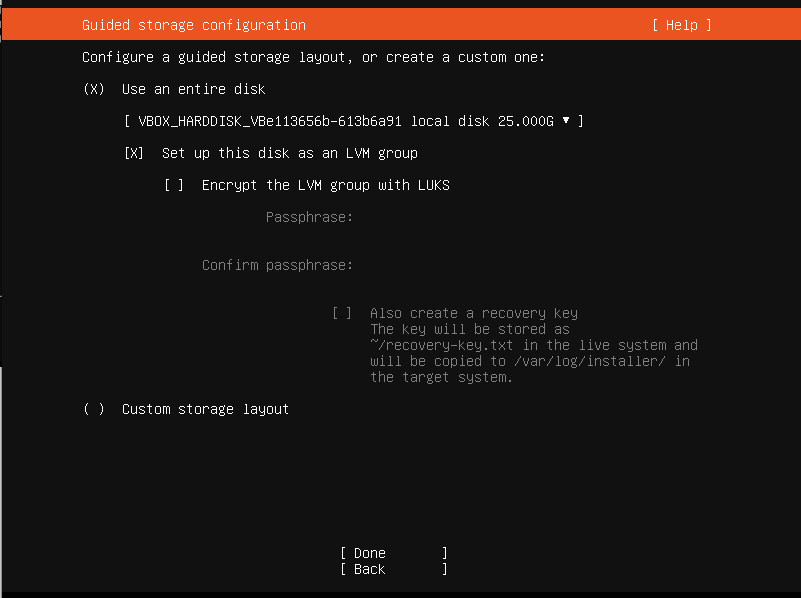
Guided storage configuration screen with options for disk setup and encryption

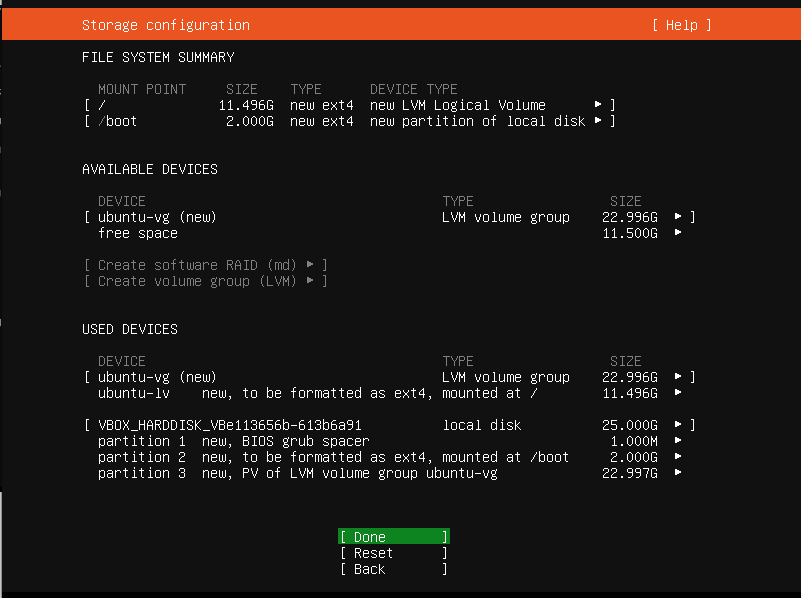
Accept the disk layout.

Storage configuration screen displaying file system summary, available devices, and used devices with options to create or format partitions

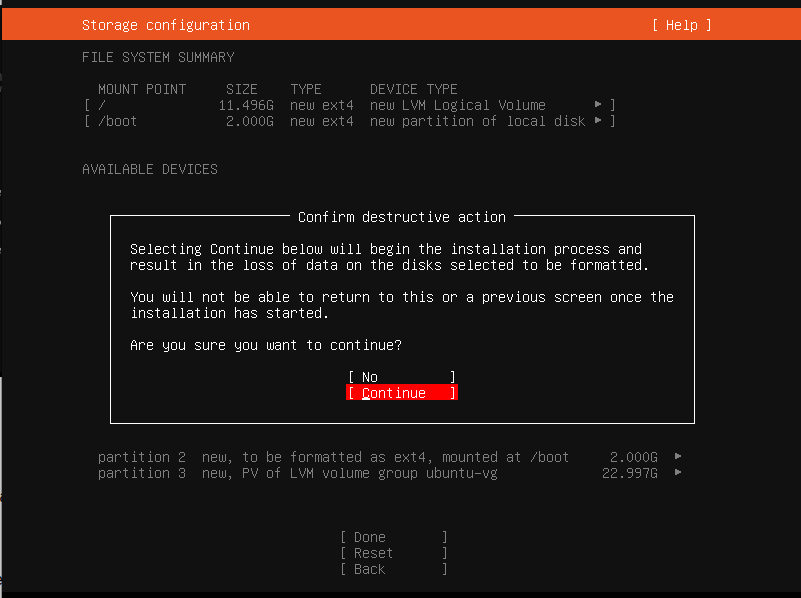
Select 'Continue'.

Storage configuration screen with options to confirm formatting disks

Enter your first user details: note that this user will automatically have sudo rights provisioned.
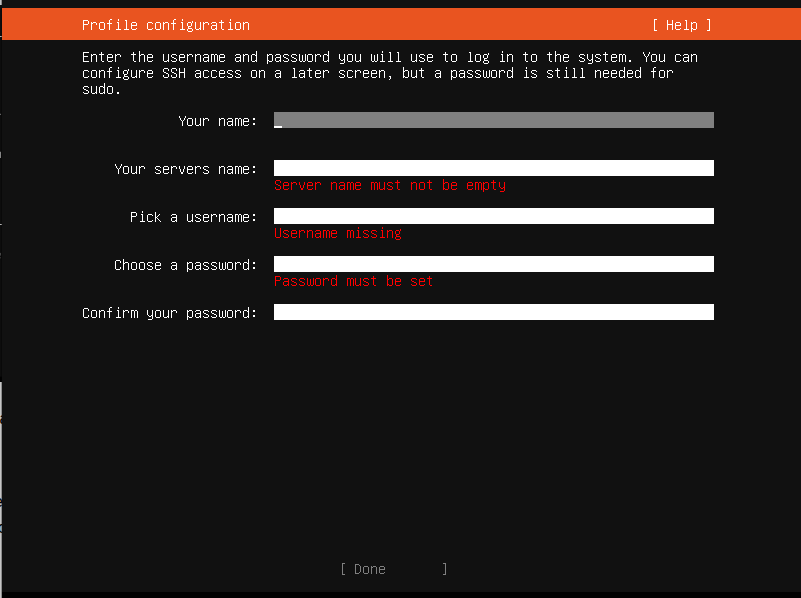
Profile configuration screen with fields for name, server name, username, and password, showing error messages

Select Ubuntu subscription type.  Subscription Types Explained
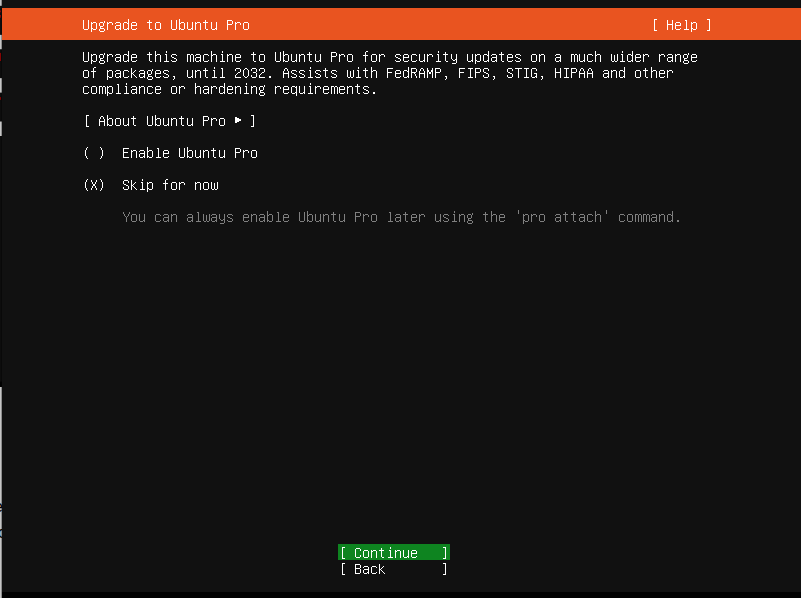
Ubuntu Pro upgrade screen with options to enable or skip, and a continue button

Select 'Install SSH Server' and then 'Done'.
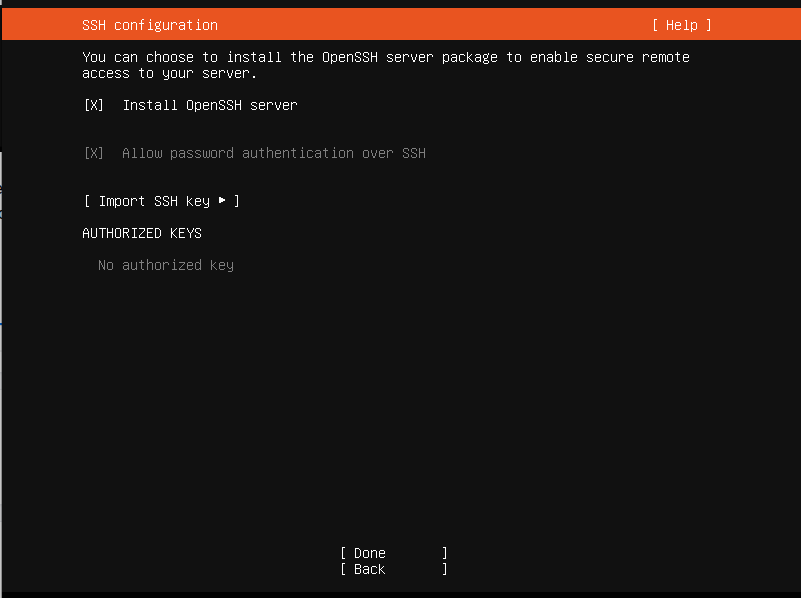
SSH configuration screen with options to install OpenSSH server and allow password authentication

Choose any snaps for inclusion within the install and select 'Done'.
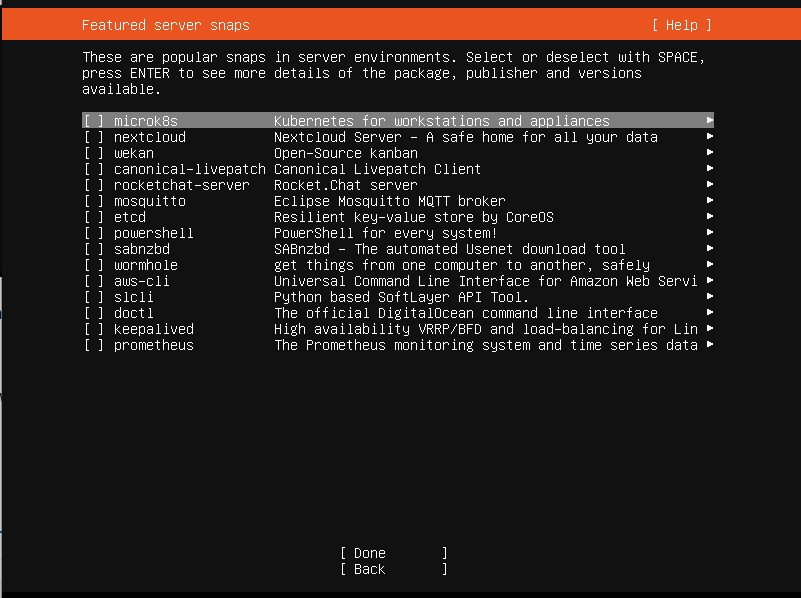
Server snaps selection screen with various software options listed for installation

It may take a short time for your new server to install and complete the installation. Once completed, select 'Reboot'.
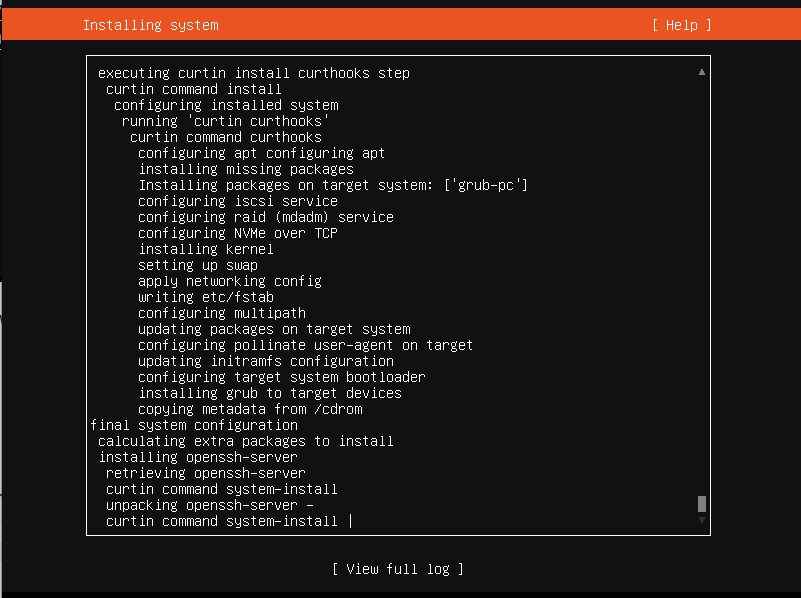
Text-based installation log showing various system configuration steps

Looking to enhance your Linux infrastructure? At EssingtonITS.co.uk, we offer expert support and tailored solutions to optimise your systems. Let us help you achieve seamless integration and improved performance.

person people found this useful.

Related

Knowledge base 10 Jun 2026

Personal Notebook in eLLM

The personal notebook in eLLM allows users to organise and store notes, images, and files in a private, searchable timeline. It ensures privacy by keeping contents visible only to the user, and it can be integrated with the assistant for personalised answers.

Knowledge base 9 Jun 2026

Git Commands Quick Reference Guide

This quick reference guide covers essential Git commands for repository setup, staging, branching, merging, and working with remote repositories, making it a handy tool for developers to streamline their workflow.

Knowledge base 9 Jun 2026

Organisation Skills in the eLLM Admin Console

The article explains how the eLLM Admin Console allows organisations to create and manage shared instruction sets called "organisation skills" to ensure consistent responses across teams. These skills can be customised, restricted to specific groups, and integrated with extern…

Expand 29 Jul 2026

How AI can support pupils with SEND

Explore how AI tools are aiding pupils with special educational needs and disabilities by simplifying text, breaking down tasks, and enhancing accessibility. Learn about the considerations schools should make before implementation.

Expand 29 Jul 2026

AI policy and practice in further education

Further education colleges need distinct AI policies due to their unique mix of vocational courses, diverse age groups, and specific funding and inspection requirements. This guidance highlights the importance of tailored AI approaches in FE settings.