Skills in eLLM
The article explains how skills in eLLM help streamline tasks by saving sets of instructions for consistent responses. It covers organisation and personal skills, their management, and how they enhance efficiency in chat interactions.
What this product is for
Sometimes you want the assistant to respond in a consistent way: a fixed report layout, a certain tone of voice, or a standing set of instructions for a recurring job. Rather than typing those instructions every time, you save them once as a skill and select it when you need it. Skills make repeated tasks faster and more consistent.
Main features
- Select a skill from the chat bar to prime the assistant for your questions.
- Organisation skills set up by administrators and shared with groups.
- Personal skills that you create and that only you can see and use.
- A simple manager for creating, editing, and deleting your personal skills.
How to use it
Two kinds of skill
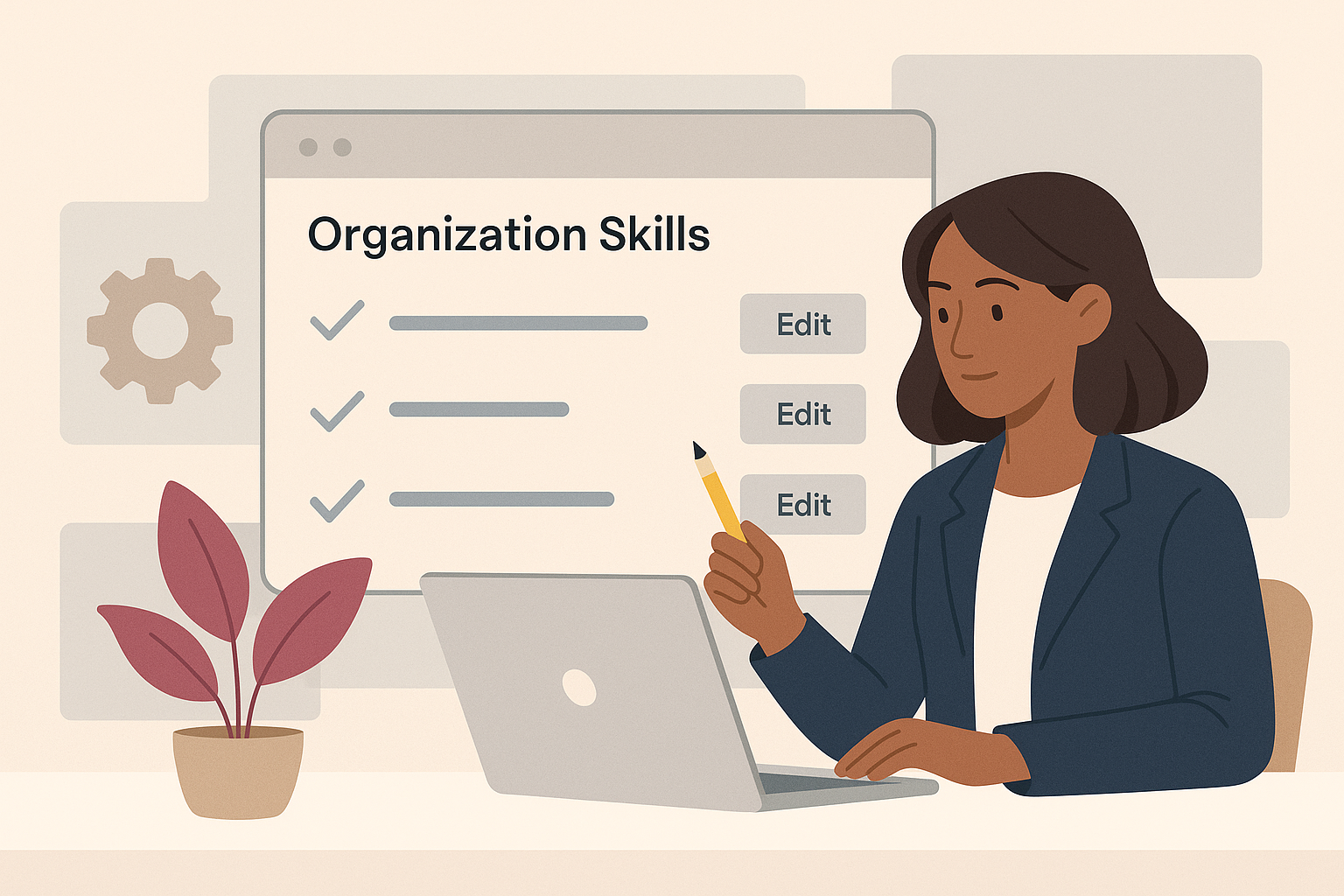
- Organisation skills are created and maintained by administrators. They can be shared with everyone or limited to certain groups. You select them like any other skill but cannot edit them.
- Personal skills are created by you in the chat skill manager. They are private to your account; no one else can see or use them.
Selecting a skill in chat
- Open the chat page.
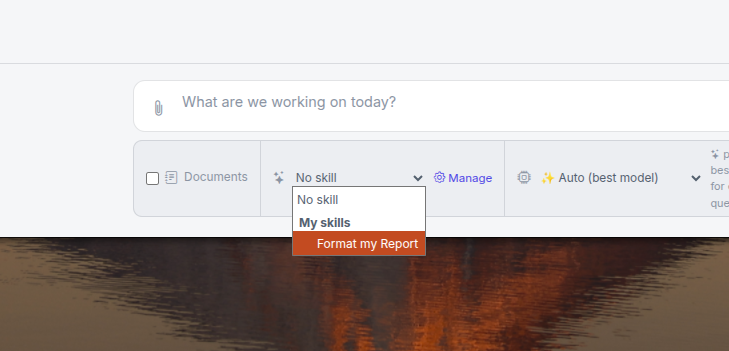
- In the bar next to the model selector and Documents toggle, open the skill picker.
- Choose the skill you want. It is applied to your questions, and your choice is remembered.
- To stop using it, change the selection back.
Managing your personal skills
- In the chat bar, open the skill manager using the settings (gear) button next to the picker.
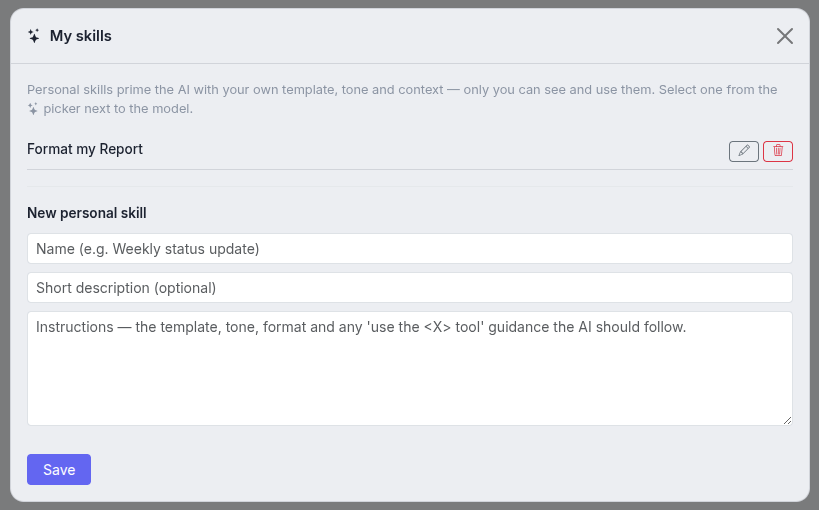
- Create a new skill by giving it a name, an optional description, and its instructions.
- Edit or delete your existing personal skills from the same place.
The instructions are where you describe the template, tone, or context you want. A skill can even tell the assistant to use a particular tool, and the assistant will act on that instruction.
Common tasks
- Reuse a report format: create a personal skill containing the layout you want, then select it before asking.
- Apply a house style: select an organisation skill that sets the tone for your answers.
- Update your instructions: edit the personal skill in the manager.
- Stop using a skill: change the skill picker back to no selection.
Things to know
- Organisation skills may be limited to certain groups, so you will only see the ones available to you.
- Personal skills are private to you and cannot be shared with colleagues.
- Selecting a skill changes how answers are written; it does not change which documents you can access.
- Skills work alongside the model picker and the Documents toggle, and you can combine them.
Troubleshooting
- I don't see any skills: no organisation skills are available to your groups and you have not created any personal skills yet.
- My answers aren't following the skill: confirm the skill is still selected in the picker, and check that its instructions clearly describe what you want.
- I can't edit an organisation skill: only administrators manage organisation skills. You can create your own personal skill instead.
Frequently asked questions
What's the difference between a skill and a system context?
Both shape how answers are written. A skill is a named bundle you pick per conversation; the company system context is a standing setting. They can work together.
Can other people use my personal skill?
No. Personal skills are private to the account that created them.
Who creates organisation skills?
Administrators, in the admin console. They decide which groups can use each one.
Can a skill make the assistant use a tool?
Yes. Instructions can ask the assistant to use a named tool, and it will act on that where the tool is available.
Summary
Skills save you from retyping the same instructions. Select an organisation skill for shared house styles, or create personal skills for your own recurring tasks. Pick a skill from the chat bar and your answers follow its template, tone, or context; combine it with the model picker and Documents toggle for full control.
Need assistance navigating the complexities of eLLM? EssingtonITS offers expert guidance and tailored IT solutions to help you succeed. Visit EssingtonITS.co.uk for comprehensive support.
person people found this useful.